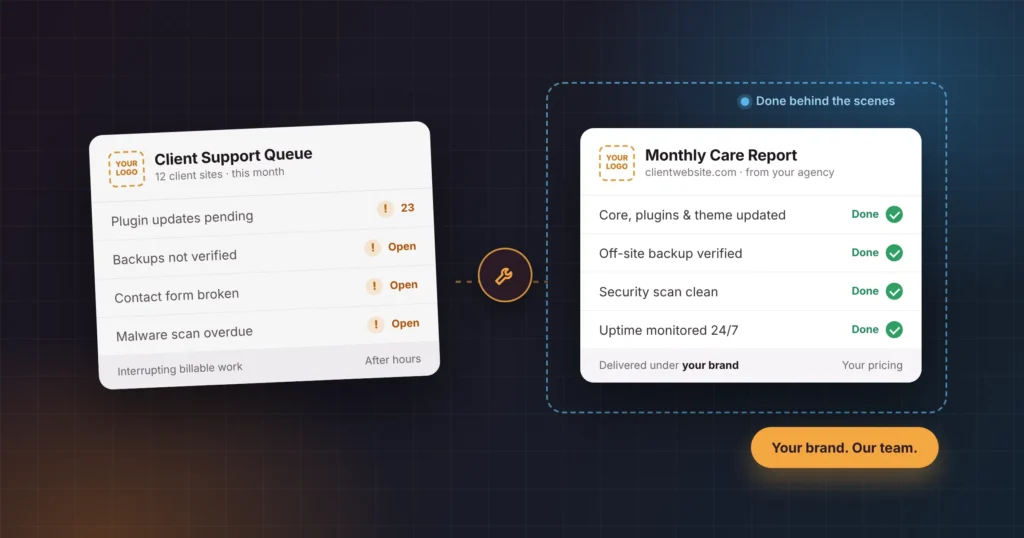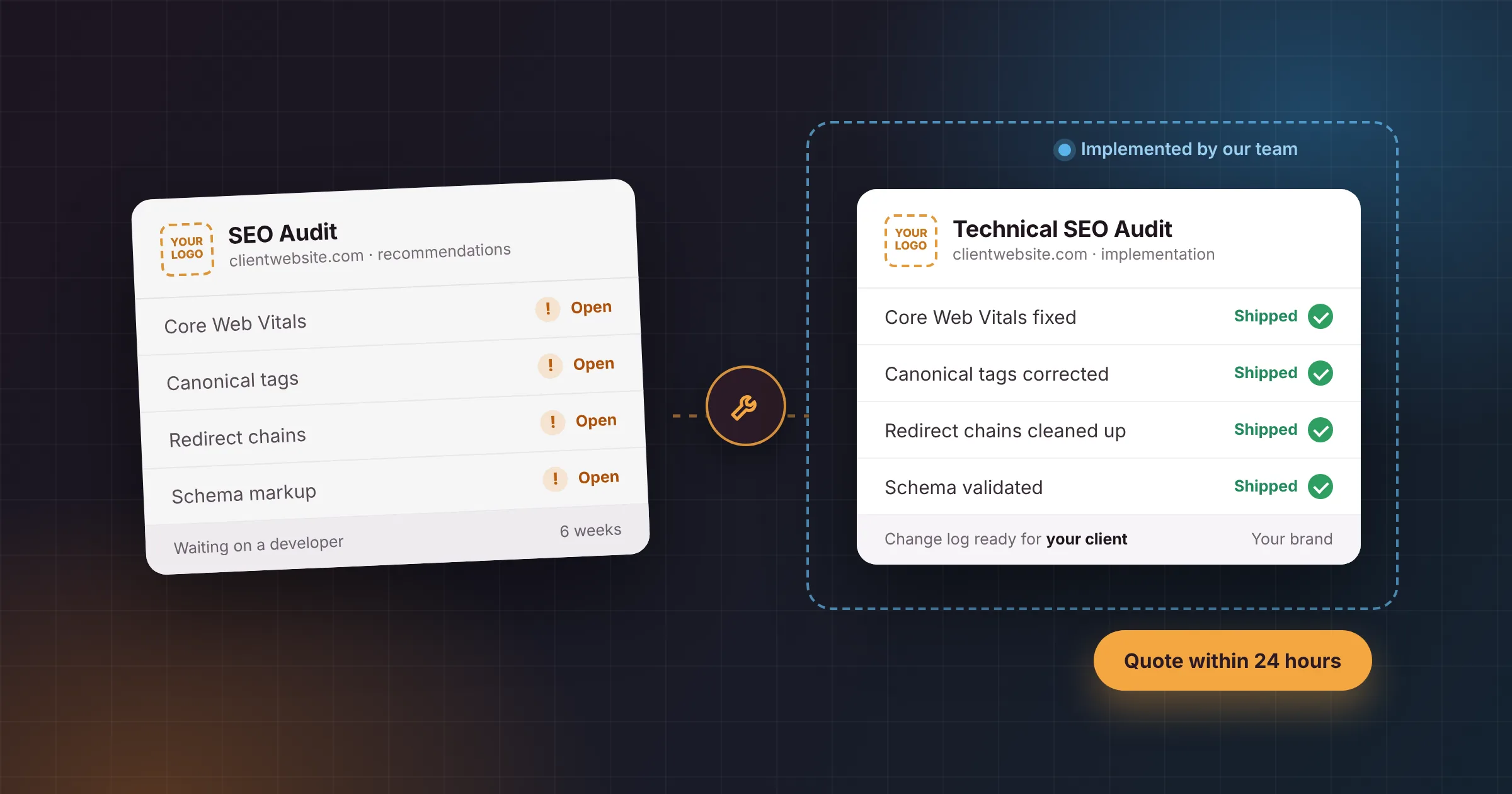
SEO agencies can ship WordPress fixes without hiring a developer by handing implementation to a white-label WordPress team. The agency keeps the strategy, the audit and the client relationship. The partner implements the technical changes safely, tests them and reports back, usually within days rather than months.
That matters because implementation, not analysis, is where most SEO work gets stuck. This guide covers why recommendations stall on WordPress sites, the fixes that stall most often and how each one gets done, how to prioritise and hand off the work, and how to choose the right way to get it shipped.
In short
- In a 2024 survey of 282 technical SEOs, the most common answer was that only 40–60% of recommendations get implemented. Just 7% said more than 90% do.
- The most cited reason for delays is a lack of developer time.
- On WordPress, the fixes that stall most are Core Web Vitals, canonicals, redirects, schema, indexing rules and page-builder bloat.
- A white-label WordPress partner can implement them under your agency’s brand, without a hire.
Contents
Why Do SEO Recommendations Stall on WordPress Sites?
SEO recommendations stall on WordPress sites mainly because nobody with developer skills has the time, or the confidence, to make changes without breaking the site. Agencies can find the problems. Their clients usually can’t fix them.
The data backs this up. In the SEOFOMO State of Technical SEO survey of 282 technical SEO specialists (September to October 2024):
| Finding | Result |
|---|---|
| Most common share of recommendations implemented | 40% to 60% (29% of respondents) |
| Respondents who see more than 90% implemented | 7% |
| Most common time to implement | 4 to 6 weeks (24% of respondents) |
| Most frequently cited reason for delays | Lack of available developer resources or bandwidth |
On WordPress specifically, five things tend to get in the way.
Nobody owns the code
Many small and mid-sized clients had their site built by a freelancer or an agency that has since moved on. There’s no developer on retainer, so every technical recommendation lands with a marketing manager who can edit pages but not templates.
Everyone is afraid of breaking the site
A change to a theme file, a redirect rule or a caching setting can take a site offline or break a checkout. Without a staging site and backups, the safest option for the client is to do nothing.
Page builders hide the problem
Elementor, Divi and WPBakery make design easy, but they add heavy markup, extra scripts and nested layouts. Fixing Core Web Vitals or heading structure often means rebuilding sections, not ticking a box in an SEO plugin.
Plugins overlap and conflict
Two SEO plugins writing different canonical tags, or a caching plugin fighting a security plugin, is common on older sites. Untangling them needs someone who can read what each plugin actually outputs.
Access and approvals take weeks
Hosting logins, DNS access and sign-off from the client’s IT contact can stall a fix before any work starts. A partner that’s used to working with hosts can shorten that part dramatically.
Which WordPress SEO Fixes Stall Most Often?
The WordPress fixes that stall most often are the ones that need code, server access or changes to templates: Core Web Vitals, canonicals, redirects, indexing rules, schema, heading structure, internal links, images and page-builder bloat. Settings in an SEO plugin are rarely the problem; what sits underneath them is.
| Fix | Common WordPress cause | Can the client do it in the dashboard? |
|---|---|---|
| Core Web Vitals | Heavy page builders, unoptimized images, too many scripts | Rarely |
| Canonical tags | Two SEO plugins, wrong domain settings, theme overrides | Sometimes |
| Redirects and chains | Old migrations, plugin rules stacked on server rules | Sometimes |
| Indexing rules | Staging settings left on, thin archive pages | Sometimes |
| Structured data | Theme and plugin both outputting schema | Rarely |
| Heading structure | Theme templates and builder widgets using the wrong tags | Rarely |
| Internal linking | Menus, breadcrumbs and related-post templates | Sometimes |
| Image SEO | Huge uploads, no dimensions, lazy-loaded hero images | Sometimes |
| Page-builder bloat | Nested sections, unused add-ons, duplicate CSS | No |
1. Core Web Vitals
Google’s Core Web Vitals are judged at the 75th percentile of page loads, and a “good” score means Largest Contentful Paint within 2.5 seconds, Interaction to Next Paint of 200 milliseconds or less, and Cumulative Layout Shift of 0.1 or less.
What goes wrong on WordPress: oversized hero images, render-blocking CSS and JavaScript from page builders, web fonts loaded late, chat and tracking scripts that load on every page, and no page caching or CDN.
How it gets fixed: compress and resize images and serve WebP or AVIF; preload the hero image and never lazy-load it; set up caching and delay non-essential scripts; remove unused builder widgets and add-ons; self-host fonts. Larger sites may need template changes or a lighter theme. Deeper work fits better as a separate WordPress speed optimization project than a quick fix.
2. Canonical tags
Google’s documentation on canonical URLs treats redirects and rel=“canonical” as strong signals and sitemap inclusion as a weak one. It warns against specifying different canonical URLs for the same page, and against using robots.txt or noindex to choose a canonical.
What goes wrong on WordPress: two SEO plugins outputting conflicting canonical tags; a site address set to the wrong domain or protocol; themes adding their own tag; WooCommerce filter and sorting URLs canonicalizing to themselves; and canonicals pointing at URLs that redirect or don’t exist.
How it gets fixed: keep one SEO plugin in charge of canonicals, correct the WordPress and site address settings, remove theme output, and check the rendered HTML (not just the plugin settings) on a sample of each template type.
3. Redirects and redirect chains
What goes wrong: sites that have been migrated or restructured often have redirects in a plugin, in .htaccess or the server config, and at the CDN, all stacked on top of each other. The result is chains, loops, and internal links that still point at old URLs.
How it gets fixed: map old URLs to final destinations in one place, use permanent (301) redirects, collapse chains to a single hop, and update internal links so they point straight at the final URL. Migrations from Wix, Squarespace or HubSpot need a full URL map before launch; that’s standard practice in WordPress migration services.
4. Indexing rules
What goes wrong: the “Discourage search engines from indexing this site” setting left on after a launch; robots.txt rules copied from staging; and thousands of thin tag, author, date or attachment pages being indexed. Recent WordPress versions turn attachment pages off on new installs, but many older sites still have them.
How it gets fixed: check Settings → Reading, review robots.txt, noindex thin archives through the SEO plugin, redirect attachment URLs to their parent posts or files, and confirm the XML sitemap lists only pages you want indexed.
5. Structured data
What goes wrong: a theme and a plugin both output Organization or Article schema, WooCommerce product schema is missing price or availability, and FAQ markup doesn’t match the visible text.
How it gets fixed: choose one source of schema, remove the duplicates, extend it with custom JSON-LD where needed (LocalBusiness, Service, Product), and validate in Google’s Rich Results Test and the Schema Markup Validator.
6. Heading structure
What goes wrong: themes that wrap the logo in an H1 on every page, builder widgets that use H2s for decorative text, and page titles printed as plain paragraphs.
How it gets fixed: edit the theme’s header template or child theme so the logo isn’t an H1, change widget heading tags in the builder, and check that every template outputs exactly one H1 that matches the page’s topic.
7. Internal linking
What goes wrong: important pages buried three or four clicks deep, mega menus full of near-duplicate links, missing breadcrumbs, and related-post widgets that surface old content.
How it gets fixed: add breadcrumbs (and their schema) through the SEO plugin or theme, trim menus, add contextual links in key posts, and control related-post templates by category and date.
8. Image SEO
What goes wrong: 4 MB photos uploaded straight from a phone, images without width and height (which causes layout shift), missing or junk alt text, and the hero image lazy-loaded.
How it gets fixed: bulk-optimize existing images, serve modern formats, set dimensions in templates, write descriptive alt text for meaningful images (and empty alt for decorative ones), and exclude the first image on each template from lazy loading.
9. Page-builder bloat
What goes wrong: years of edits leave pages with deeply nested sections, unused add-on packs and duplicate CSS, which slows rendering and makes INP worse.
How it gets fixed: remove unused add-ons, enable the builder’s own performance settings, rebuild the heaviest templates with fewer containers, and in some cases move key landing pages to lighter blocks. This is the fix most likely to need a developer, because it touches design as well as code.
How Should SEO Agencies Prioritise WordPress Fixes?
Prioritise WordPress fixes by what blocks search engines first, then by what affects your client’s money pages, then by everything else. A broken canonical or a stray noindex can cancel out months of content work, while heading tweaks rarely move rankings on their own.
| Priority | Fix type | Why it comes here |
|---|---|---|
| 1. Blockers | Indexing rules, wrong canonicals, redirect loops, server errors | They stop pages being crawled or indexed at all |
| 2. Money pages | Core Web Vitals and schema on service, product and landing pages | They affect the pages that bring in leads and sales |
| 3. Site-wide quality | Heading structure, internal linking, image SEO | Steady gains across many pages |
| 4. Rebuilds | Page-builder bloat, theme changes | The biggest effort; plan them as projects |
Two habits keep this working:
- Fix one template rather than one page wherever you can, because a single change to a product template can fix thousands of URLs.
- Re-test after every release, because WordPress, plugin and theme updates can quietly undo SEO fixes.
How Do You Hand Off SEO Fixes to a WordPress Developer?
Hand off SEO fixes as tickets, not as a PDF audit. Each ticket should say exactly what to change, where, why it matters and how you’ll know it’s done. Clear tickets get implemented; long PDF audits tend to get parked.
Use this format for every fix:
| Field | Example |
|---|---|
| Title | Remove duplicate canonical tag on all blog posts |
| URLs or templates affected | Single post template; sample: /blog/example-post/ |
| What’s wrong | Two canonical tags in the head: one from the theme, one from the SEO plugin |
| Evidence | View-source screenshot; crawl export showing 148 affected URLs |
| Expected change | One canonical tag, output by the SEO plugin, pointing to the post’s own URL |
| Acceptance test | View-source on 5 sample posts shows one correct canonical; recrawl shows 0 duplicates |
| Priority | 1 (blocker) |
| Client approval needed? | No, technical only |
Three more things speed up any handoff:
- Group tickets by template, so the developer opens each file once.
- Agree a staging workflow: changes go to staging, you check them, then they go live.
- Ask for a change log you can turn into a client report. It proves the work shipped and makes the next audit easier.
DIY vs In-House Developer vs White-Label WordPress Partner
SEO agencies have three realistic ways to get WordPress fixes implemented. Doing it yourself works for simple plugin settings, an in-house developer makes sense once there’s enough work for a full-time role, and a white-label partner fits most agencies in between.
| Do it yourself | In-house developer | White-label WordPress partner | |
|---|---|---|---|
| Best for | SEO plugin settings, simple redirects | Large, steady development workload | Most agencies with several WordPress clients |
| Cost | Your team’s time | Salary, tools and overheads | Per task or per project |
| Risk of breaking the site | High without staging and backups | Low to medium | Low, with staging, backups and testing |
| Speed | Depends on your team’s free time | Fast, if they aren’t on other work | Fast, with a team that scales up and down |
| Skills covered | SEO plugin level | One person’s skills | Theme code, page builders, WooCommerce, servers, performance |
| Branding | Your agency | Your agency | Your agency; the partner stays invisible |
If you’re weighing a partner, the same checks apply as for ongoing maintenance: who does the work, NDA terms, response times, staging, and backups. Read our comprehensive guide to see how white-label WordPress maintenance works and what to look for in a partner.
A Real Example: One Canonical Tag, One Invisible Page
In October 2026 we audited our own blog and found that our most useful guide for agencies, “WordPress Care Plans: What to Include and How to Sell Them”, was telling Google to look elsewhere. Its canonical tag pointed to www.www.wpsmallfix.com/wordpress-care-plans-selling/, a URL that doesn’t exist, and its robots tag was set to “index, nofollow”.
Nothing looked wrong on the page itself. The post loaded, read well and had a clear call to action. The problem only showed up in the page source, and it is exactly the kind of fix that sits in an audit for weeks because it lives in plugin settings and post metadata, not in the content.
The fix took under 15 minutes: one corrected canonical, robots set back to “index, follow”, and an indexing request in Search Console.
The lesson for SEO agencies: always check the rendered HTML, not just the SEO plugin’s settings screen. That’s where duplicate, wrong or conflicting tags show up.
What SEO Fixes Do Agencies Send Us Most? Data From Our Support Desk
More than half of the SEO implementation work agencies send us is Core Web Vitals and speed, at 55% of tasks. Schema and structured data come next at 16%, followed by page-builder clean-up at 12%. Canonical, indexing and redirect fixes together make up only 9%, but as the example above shows, they’re the easiest to miss.
| Request type | Share of tasks |
|---|---|
| Core Web Vitals and speed | 55% |
| Schema and structured data | 16% |
| Page-builder clean-up | 12% |
| Template and heading changes | 8% |
| Canonical and indexing fixes | 5% |
| Redirect mapping and clean-up | 4% |
Source: WP Small Fix data on SEO implementation tasks from agency partners.
What this means for SEO agencies: speed and page-builder clean-up together account for two-thirds of requests (67%). Budget performance work as a project with its own timeline, not as a line item at the end of an audit.
How WP Small Fix Helps SEO Agencies Ship WordPress Fixes
WP Small Fix works as the behind-the-scenes WordPress team for SEO agencies. You keep the strategy, the audit and the client. We implement the technical fixes under your brand.
- Send us your audit or tickets. A full audit, a spreadsheet or a list of URLs all work.
- Get a quote within 24 hours, broken down by fix, so you can price it for your client.
- We implement and test. Changes go to staging first where the risk calls for it, with a backup taken before anything goes live.
- You get a change log to report to your client as your own work.
Every task is done by our own in-house developers, never freelancers. We sign your NDA before you share any client details, and our average resolution time for standard issues is under 8 hours. For ongoing work, the same team can handle WordPress care plans for your clients under your brand. See how our white label WordPress development and support works.
Frequently Asked Questions
Yes. Many SEO agencies use a white-label WordPress partner to implement technical recommendations. The agency keeps the strategy and the client relationship, and the partner makes the code, template and server changes under the agency’s brand.
It’s when a specialist team implements an agency’s technical SEO recommendations, such as speed fixes, canonicals, redirects and schema, and the agency presents the work to its client as its own. The client deals only with the agency.
In SEOFOMO’s 2024 survey, the most common answer among technical SEOs was 4 to 6 weeks. Most of that time is waiting for developers. With a dedicated WordPress team, standard fixes typically take hours to days; rebuilds and migrations take longer.
Usually anything inside the SEO plugin: titles and meta descriptions, XML sitemaps, noindex on thin archives, simple redirects and breadcrumbs, plus alt text in the media library. Anything in theme files, page-builder templates, server rules or caching is safer with a developer.
Core Web Vitals are part of the page experience signals Google’s systems consider, but relevant, helpful content matters more. Treat speed fixes as a way to improve user experience and conversions, with ranking gains as a possible bonus rather than a promise.
For anything beyond plugin settings, yes. Template, redirect and caching changes can break layouts or checkouts. A staging copy plus a fresh backup lets you test first and roll back quickly.
Keep a change log with the date, URL or template, what changed and the before-and-after evidence, such as a screenshot or crawl result. Re-crawl after each release and show the issue count falling over time.
Within 24 hours of receiving your audit or ticket list. The quote is broken down by fix, so you can price the work for your client.
Send Us Your Next Audit
If your recommendations keep stalling on WordPress, send us your next audit. We’ll quote implementation within 24 hours, do the work under your brand, and give you a change log you can show your client.